PULTRACK Make · Live
Know what every order really cost.
Pultrack Make runs your workshop's production — bills of materials, production orders, materials and labour — with real double-entry books behind every step. See the actual cost of each batch or custom piece, and where it went over plan. In the cloud, in Turkmen, Russian or English.
- Bills of materials and production orders
- Real cost per order, with variances
- Balance sheet and P&L from the same entries
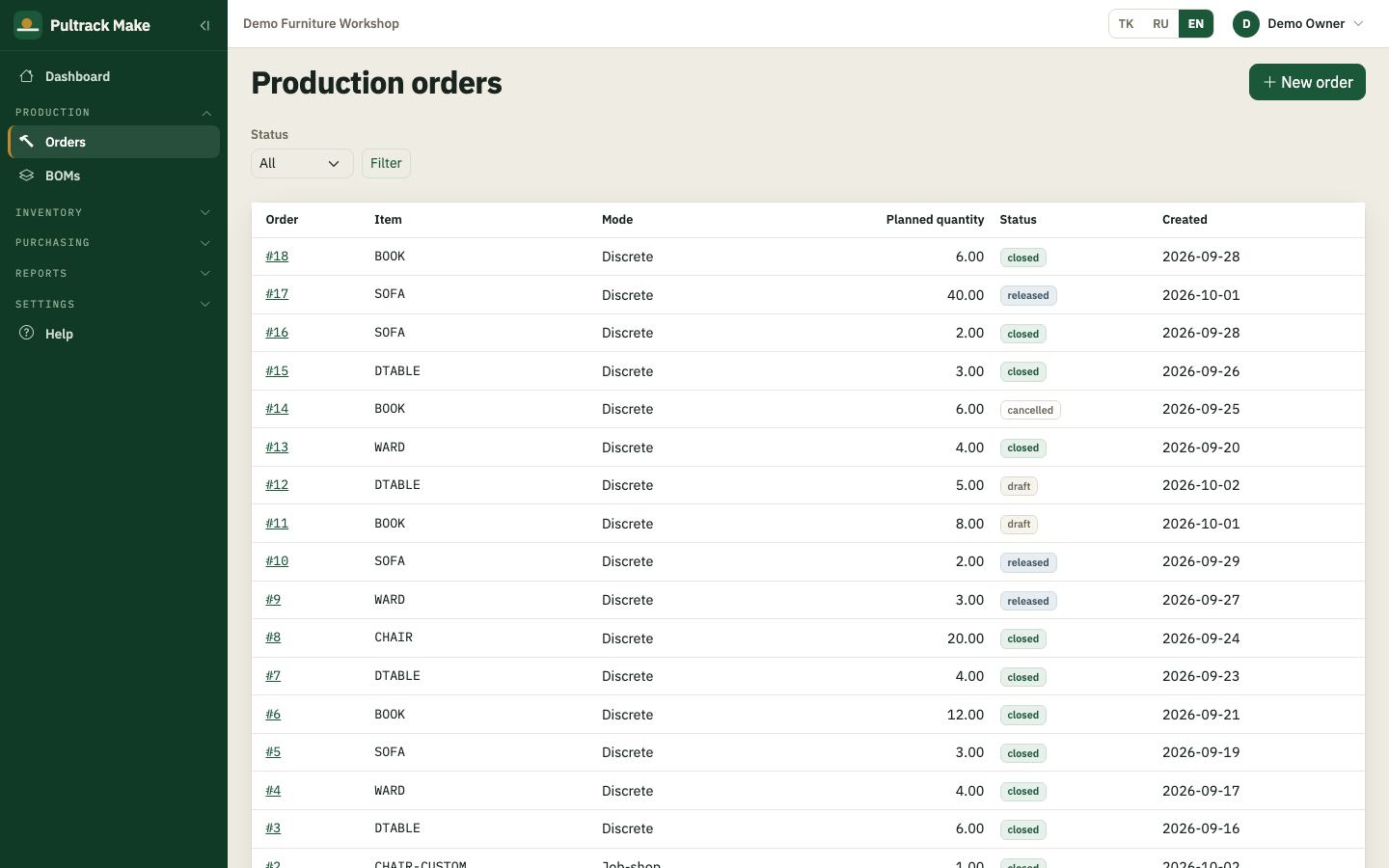
Plan it, then make it
Give each product a bill of materials, open a production order, and release it: the components and standard cost are frozen, and shortages are flagged before you start.
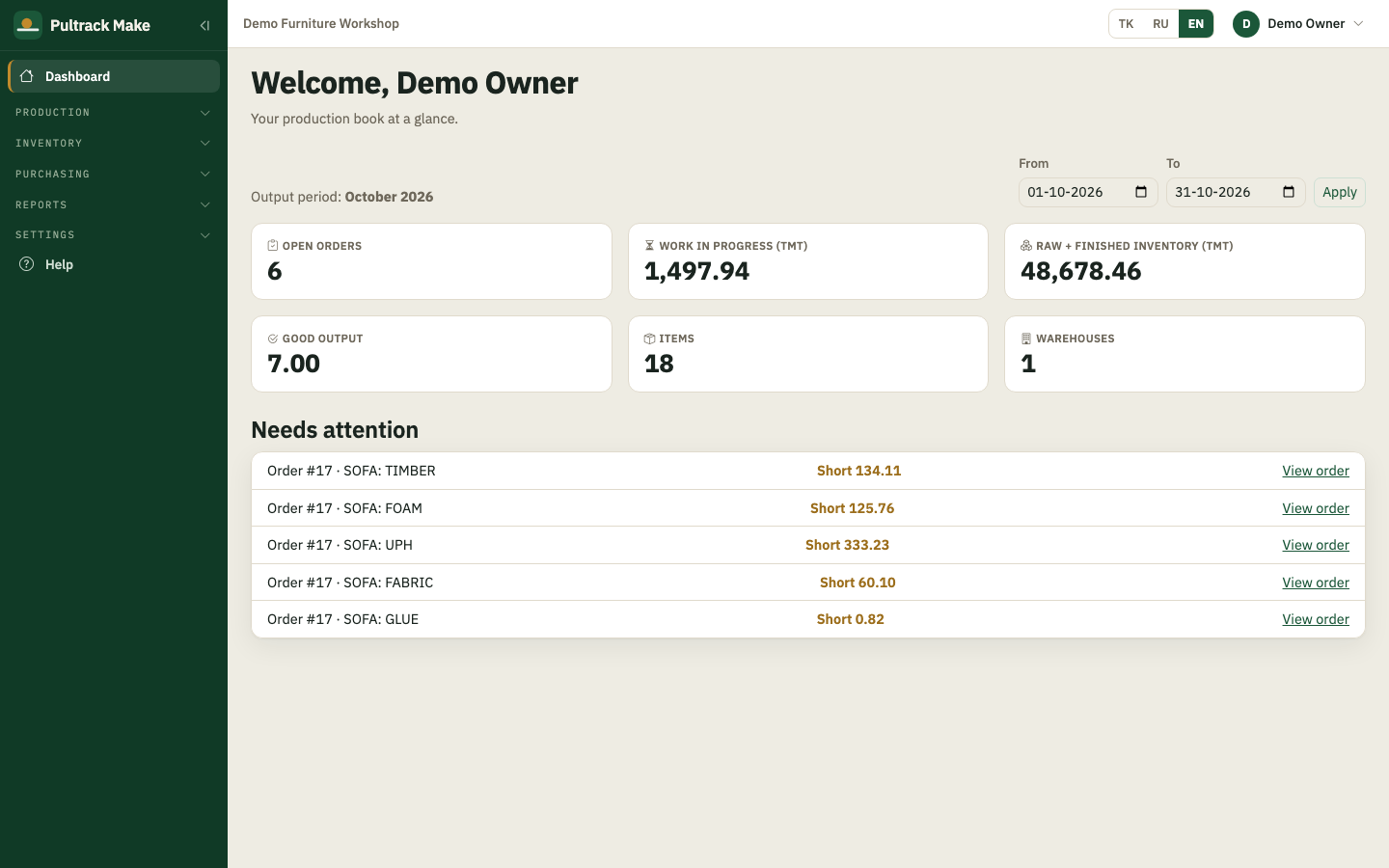
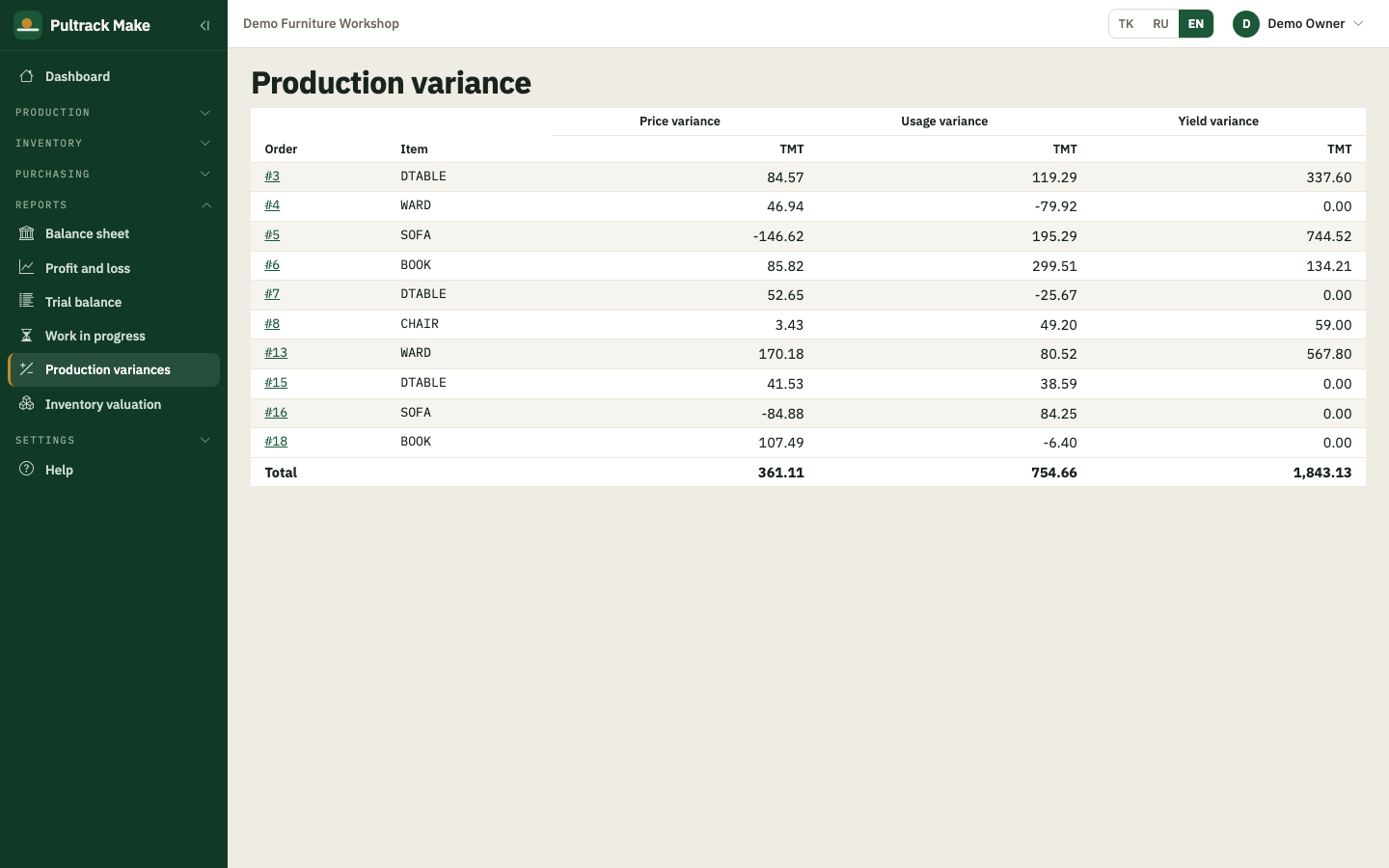
The real cost of every order
Issue what you actually used, record labour and overhead, and close the order. The job cost sheet shows what the batch cost, and the variance report splits the difference into price, usage and yield.
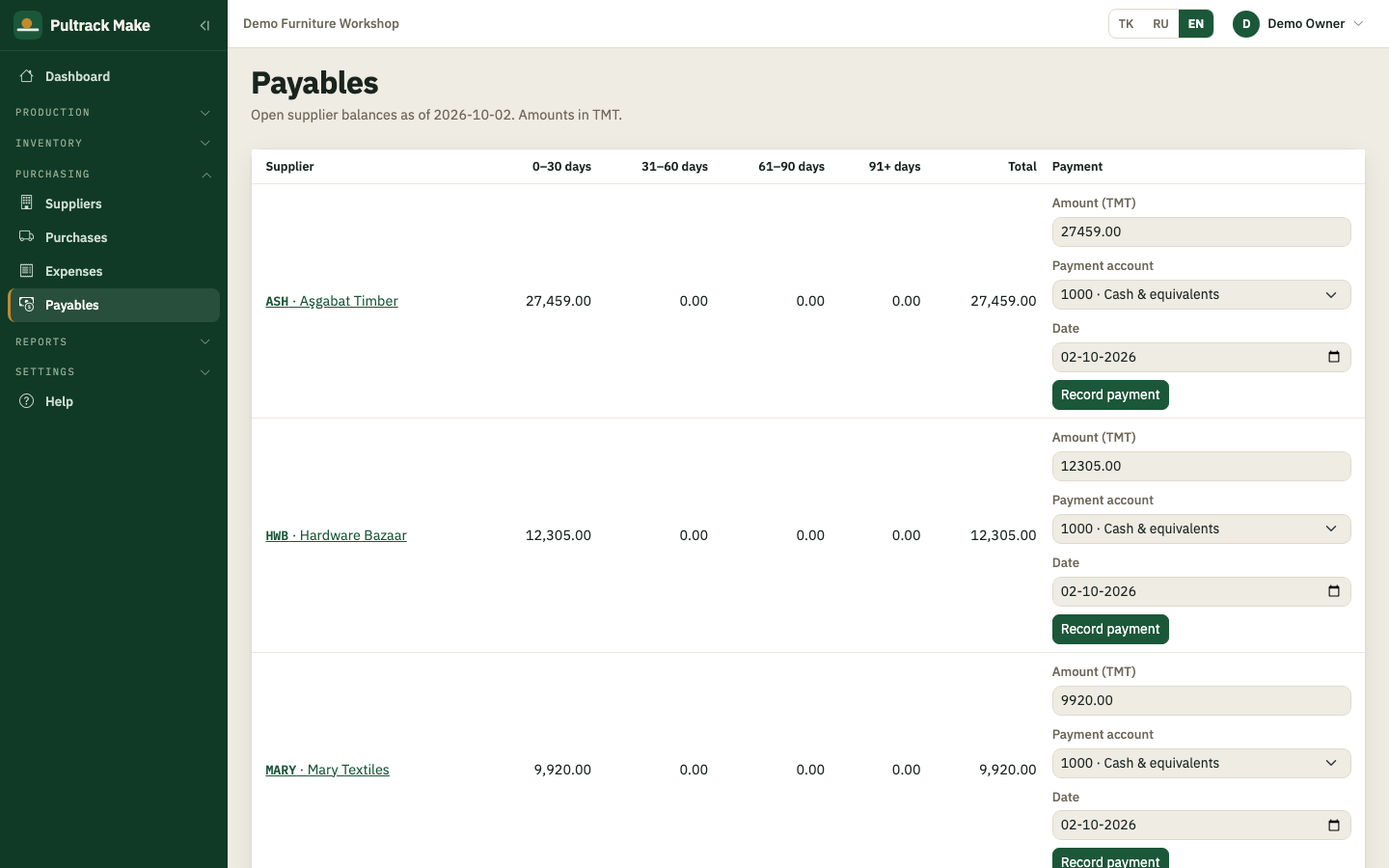
Stock and suppliers in one place
Opening stock, purchases with VAT, supplier terms and payables — every receipt updates stock and the books together.
Books that add up
Work in progress, inventory value, balance sheet, P&L and trial balance come straight from the same entries. No month-end spreadsheet.
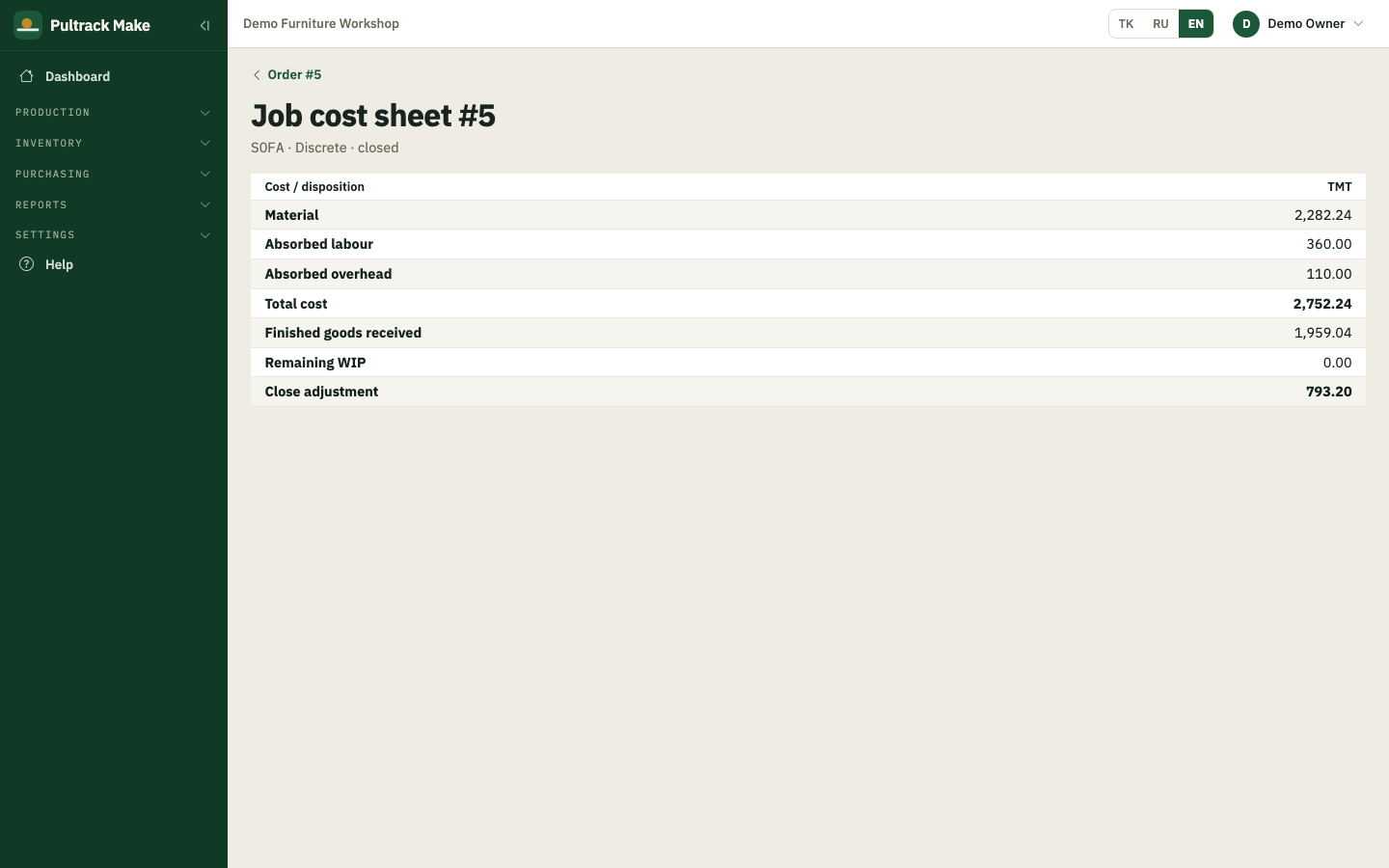
Standard batches and custom jobs, in one book
Use discrete orders for standard pieces at standard cost, and job-shop orders for custom pieces at actual cost. Both post to the same books, so a chair made for stock and a chair made to measure end up in one balance sheet.
- 01Create your company at make.pultrack.com/start
- 02Load the sample furniture shop, or add your own items
- 03Release your first production order
Free trial
Every feature for 30 days, no card needed. After that, enter an activation code to keep posting; your existing records remain readable.
- Price after the trial: ask us on Telegram.
- Runs in the browser — nothing to install.
Do I need to install anything?
No — it runs in the browser at make.pultrack.com, on a computer, tablet or phone.
Which kinds of manufacturing does it fit?
Workshops that assemble products from materials — standard batches and custom one-off jobs. It's built first for furniture makers.
How does it know what an order cost?
From what you actually issue and record against the order. Closing the order compares that with the standard and posts the difference as price, usage and yield variances.
Can several people use it?
Yes — add users with roles (administrator, manager, accountant, operator, viewer) and choose which sections each one sees.
What languages does it work in?
Turkmen, Russian and English — each user can switch at any time.
Where is my data, and can I keep a copy?
In your company's own book on Pultrack's server. An administrator can download a full backup from Settings at any time.